


Know What's Coming

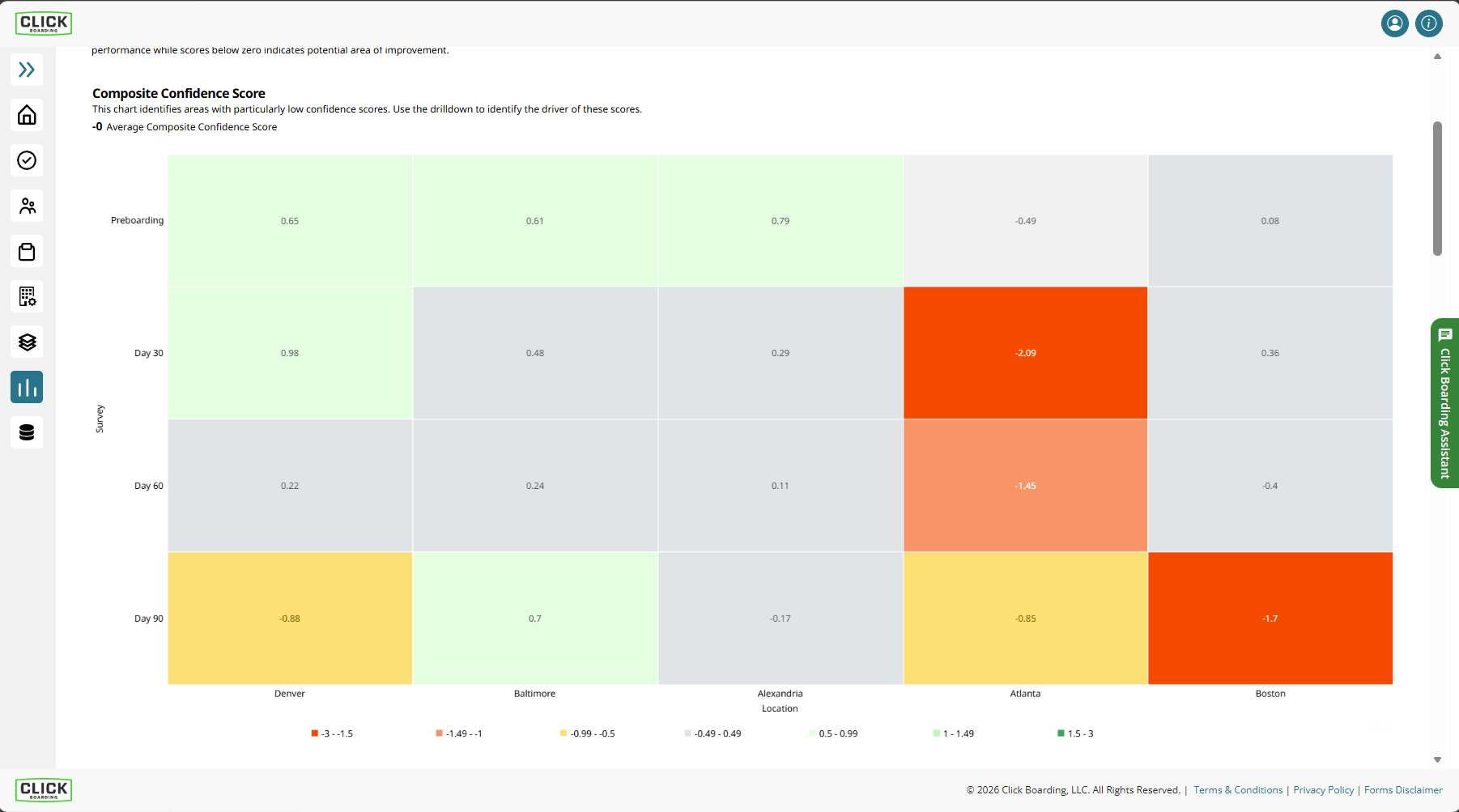
Predictive Indicators

This doesn't replace a listening program, but instead helps you get critical data you can immediately act on.
Screenshot from Click Boarding Predictive Indicators
Action, Not Noise

Backed By Research, So You Act On Risks

We developed Predictive Indicators with third-party experts to build surveys that are asked at key milestones, helping you identify who’s most likely to resign early (or never show up).

These are lightweight, easy to edit, and work best during preboarding and the first 90 days – helping you spend more time where it’s needed most.

The ROI becomes obvious the first time you use it … and it’s flexible to fit into how you onboard new hires today!

Standard For All Clients.

eBook: Make the Connection with Onboarding & Employee Experience

Plays Nice With Your Stack

You get the right data to be the hero you already are ... and impact both no-show rate and first-year retention for new hires. All within the technology you use today, both ATS and HRIS.

Discover Your ROI

Keep investigating with our free ROI calculator that takes just a couple of minutes to give you ballpark numbers. Want a more in-depth look? Book a demo and ask us the tough questions.
Close Accessibility Tools
Accessibility Controls Reset
Content Adjustments
Font Size

Default

Line Height

Default

Content Scaling

Default

Highlight Titles
Highlight Links
Highlight Forms
Align Left
Align Center
Align Right
Focus Mode
Color Adjustments
Desaturate
Monochrome
Contrast

Default

Saturation

Default

Accessibility Statement

Despite our attempts to make this website accessible for everyone, there may still be some pages or sections that are not completely accessible, are in the process of becoming accessible, or do not have a suitable technological solution to make them accessible. Nevertheless, we are always striving to enhance our accessibility by adding, updating, improving its options and features, and incorporating new technologies.

We want to provide our users with the best experience possible, so we strive to support as many browsers and assistive technologies as possible.

If you wish to contact this website's owner, please use the contact form on the website.

Our User Interface Adjustment Options

Font adjustments - With this tool, users can modify font size, style, letter spacing, and line height for improved alignment and readability.

Color adjustments - Users can customize their color contrast profiles to light, dark, desaturated, and monochrome.

Content highlighting - Users can prioritize key elements such as links, forms, and titles.

Content focus - Users can enable focus mode to highlight the current page information based on their mouse movement.

Close