








HR Software For Retail Chains with high-volume onboarding

Retail Onboarding Software

Across your hundreds of locations, you have high turnover, fast-moving hiring, and the need to automate more than ever. Click Boarding makes talent acquisition's life that much easier - and more automated.
Why Onboarding Is A Challenge in Retail?

Common Challenges in the Retail Industry

Retail demands fast hiring times – at scale. And with automated compliance that keeps HR and talent focused on filling roles.

These challenges require a tailored solution to simplify the onboarding process while addressing the needs of manufacturers.

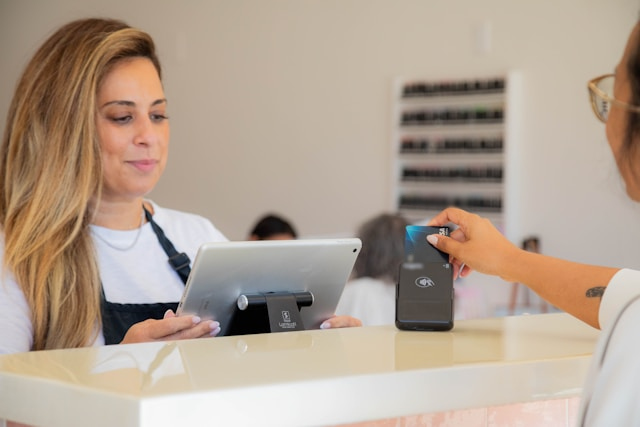
Cashier checking out a customer

Trusted by retail companies like:

More Effective Retail Employee Onboarding

How Click Boarding Enhances Retail Onboarding ... Through Offboarding

Click Boarding provides an end-to-end platform to support the of the retail industry, starting with pre-day one onboarding and through offboarding and every other employee transition.

Now, organizations just like you spend less time chasing a bad process and more time automating their onboarding workflows.

Our onboarding workflows are intuitive – no long training or IT tickets required. Quickly create, adjust, and deploy any changes needed across your entire organization.

Automatically monitor certifications, safety training, and document submission that’s tracked in real time, ensuring your organization meets regulatory requirements.

Connect Click Boarding to your existing HRIS, ATS, and more. With 250+ pre-built integrations, you’re enhancing how your work today – not starting from scratch.

New hires get their requirements in place sooner, start faster, and finish training sooner. The result is a modern experience that makes them feel they made the right choice.

Click Boarding’s retail onboarding software simplifies process, ensures compliance, and builds engagement for every new hire.

A woman in a retail clothing store

Real Results with Click Boarding

Click Boarding has helped global and national retail organizations improve their onboarding process, ensure compliance, and enhance engagement.

The Client The largest division in a Fortune 500 manufacturing enterprise is an operations-heavy business that hires thousands of employees

Culinary Staffing explains how implementing Click Boarding helped reduce their HR workload by 50% and eliminated manual processes. 

Offboarding: A Case Study in Efficient Workforce Reduction During COVID-19 The Client Founded in 1909, the client is a global

A case study on efficient, compliant onboarding.

take the next step
Let us create a tailored experience for you!
Let us know your interest, and schedule a time that's best for you - or have us reach out!
Close Accessibility Tools
Accessibility Controls Reset
Content Adjustments
Font Size

Default

Line Height

Default

Content Scaling

Default

Highlight Titles
Highlight Links
Highlight Forms
Align Left
Align Center
Align Right
Focus Mode
Color Adjustments
Desaturate
Monochrome
Contrast

Default

Saturation

Default

Accessibility Statement

Despite our attempts to make this website accessible for everyone, there may still be some pages or sections that are not completely accessible, are in the process of becoming accessible, or do not have a suitable technological solution to make them accessible. Nevertheless, we are always striving to enhance our accessibility by adding, updating, improving its options and features, and incorporating new technologies.

We want to provide our users with the best experience possible, so we strive to support as many browsers and assistive technologies as possible.

If you wish to contact this website's owner, please use the contact form on the website.

Our User Interface Adjustment Options

Font adjustments - With this tool, users can modify font size, style, letter spacing, and line height for improved alignment and readability.

Color adjustments - Users can customize their color contrast profiles to light, dark, desaturated, and monochrome.

Content highlighting - Users can prioritize key elements such as links, forms, and titles.

Content focus - Users can enable focus mode to highlight the current page information based on their mouse movement.

Close